
في هذا المقال
Good preparation also includes a rehearsal. Check contrast, font sizes, speaker notes, and the order of transitions on the actual screen. A simple, dependable deck is usually more useful than a crowded one, especially when the audience needs to remember a few important ideas.Why presentation software still matters
Presentations are often the bridge between a good idea and a decision. Students explain research, teachers build lessons, developers share project plans, and teams align around a roadmap. The best tool is not simply the one with the longest feature list; it is the one that keeps the writing, editing, and presenting process understandable.
For many people, privacy and portability now belong in that decision. A browser editor can be convenient, but users may also want their files to remain on their own device and to work without creating another account. Local-first software can make that choice easier while still supporting a familiar slide workflow.
What to check before choosing a slide editor
Start with file compatibility. If a tool can open and save PPTX files, it can fit more naturally into classrooms, offices, and mixed-device teams. It is still wise to review complex decks after conversion, because embedded media, advanced formatting, or less common PowerPoint features may not transfer perfectly.
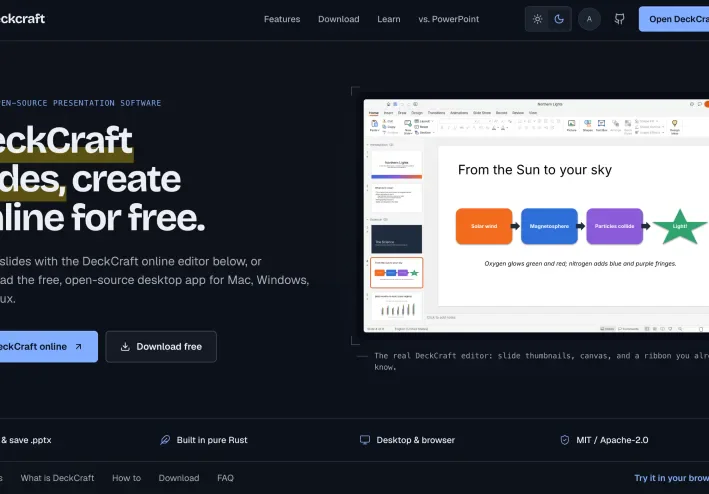
Next, look at the editing surface. Useful basics include text, images, charts, vector shapes, themes, reusable layouts, slide masters, sections, and speaker notes. Transitions and entrance, emphasis, or exit animations can also help an audience follow a story, but they should support the message rather than distract from it.
Finally, consider how the software is delivered. DeckCraft presentation editor is a free, open-source option written in pure Rust. It runs in a browser or as a native application for macOS, Windows, and Linux, requires no account for the online editor, and keeps files on the user’s device. Its source is released under the MIT or Apache-2.0 license.
A balanced workflow for everyday presentations
A practical workflow is to outline the story first, build a small number of clear sections, and then add visual emphasis only where it helps. Keep an original copy of important files, test the deck on the device you will use, and inspect exported or converted slides before sharing them.
The right presentation tool is ultimately a fit question. Teams that value openness, offline control, and familiar office-file exchange may prefer a local-first editor, while others may prioritize collaboration features hosted in the cloud. Comparing those trade-offs openly leads to more reliable presentations and fewer surprises on presentation day.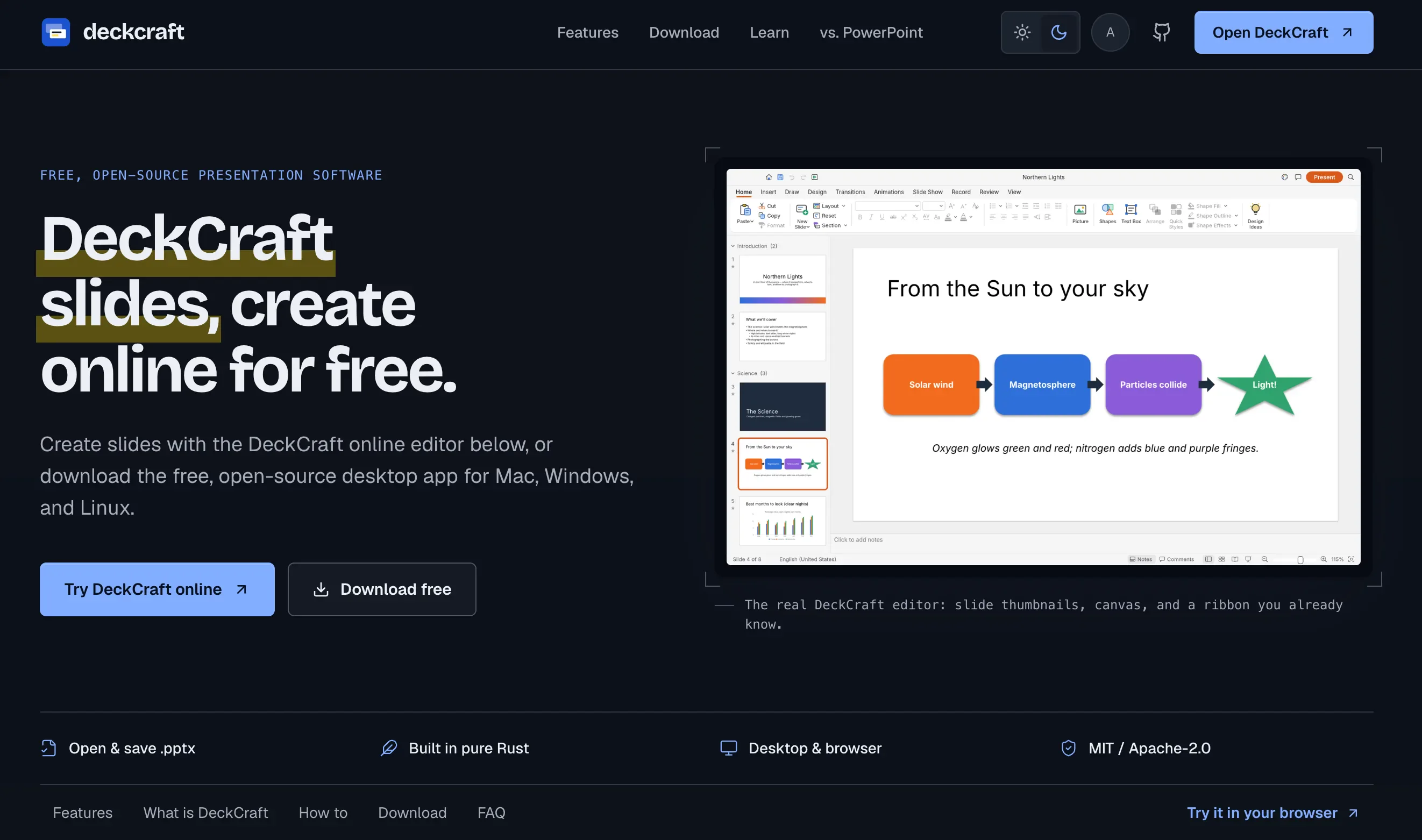
تابع جديد Wl.
اختر إشعارات الموقع أو البريد أو الاثنين. الزائر يقدر يشترك ببريده دون تسجيل حساب.
الإبلاغ عن المقال
لو لاحظت مشكلة في المحتوى، أرسلها لفريق المراجعة. لن تظهر بياناتك لكاتب المقال أو للقراء.
تعذّر إرسال البلاغ الآن. حاول مرة أخرى لاحقًا.
سجّل الدخول لإرسال بلاغ




النقاش
التعليقات (0)
فكرة تضيفها، أو سؤال يفتح حوارًا.
الرجاء تسجيل الدخول لتتمكن من التعليق