



Best Free AI Tools for Students in 2026
Best Free AI Tools for Students in 2026
Artificial intelligence has become a useful assistant for students in learning, research, writing, revision, and study planning.
This article reviews several well-known AI tools that students can start using for free or through free features. The term "free" does not necessarily mean that every feature is available without a subscription. Usage limits, available features, account types, and regional availability can change over time.

1. ChatGPT – AI Study Assistant
ChatGPT can help students understand difficult concepts, simplify lessons, create practice questions, review information, and organize their study process.
One particularly useful feature is Study Mode, which is designed to guide students through topics step by step rather than simply providing a final answer. It can ask questions, provide hints, check understanding, and help students review learning materials.
OpenAI states that Study Mode is available globally across ChatGPT plans on the web, iOS, and Android, while its usage remains subject to the rules and limits of the user's plan, model, messages, and rate limits. Uploaded PDFs and images can also be used when file or image uploads are available in the account.
Reliable sources: OpenAI Help Center – Using Study Mode in ChatGPT, and OpenAI – Introducing Study Mode.
2. Google Gemini – Learning and Brainstorming
Google Gemini can help students understand topics, brainstorm ideas, summarize information, and work through different study-related questions.
Google's official documentation explains that Gemini Apps can be used without a Google AI plan, with usage limits depending on the plan, feature, and current service conditions. Some advanced capabilities may require a paid plan.
Therefore, "free" should be understood as free access or free features, not unlimited access to every capability.
Reliable source: Google Gemini Apps Help – Gemini Apps limits & upgrades for Google AI subscribers.
3. Microsoft Copilot – Writing and Productivity
Microsoft Copilot can assist students with brainstorming, summarizing information, improving text, and certain productivity and research tasks.
Its available capabilities and limits depend on the specific Copilot product, account, and plan. Students should therefore check Microsoft's official documentation before relying on a specific feature as a free feature.
Reliable source: Microsoft official Copilot and Microsoft 365 Copilot documentation.
4. Perplexity – Research and Sources
Perplexity is an AI-powered search and research tool that can help students explore topics and find information with references to sources.
Perplexity officially lists a Standard free plan with basic searching and limits on some advanced searches and file uploads. Features and limits vary between free and paid plans.
One useful feature for students is that answers can include citations and links to original sources, making verification easier.
Reliable source: Perplexity Help Center – Which Perplexity Subscription Plan is right for you? and What is Perplexity?
5. NotebookLM – Working With Study Materials
NotebookLM can be useful for students who work with multiple study documents and source materials.
It can help users ask questions about supported sources, understand information, and organize study and review around the provided materials.
Google provides a free way to get started with Gemini Notebook, while different plans provide additional limits and capabilities. Because these limits can change, students should consult Google's current documentation when exact limits matter.
Reliable source: Google Gemini Notebook Help – Upgrade Gemini Notebook.
6. Grammarly – Writing Improvement
Grammarly can help students review English writing, identify certain grammar and spelling issues, and improve clarity.
Its official pricing page currently lists a Free plan at zero dollars per month with basic writing functionality, while paid plans provide additional advanced features.
This makes Grammarly useful for students who write essays, assignments, or research papers in English and want to review their writing before submission.
Reliable source: Grammarly – Prices and Plans.
7. Quizlet – Flashcards and Practice
Quizlet is an educational platform focused on flashcards, study practice, and review.
Quizlet states that some of its study and AI-powered tools can be used for free, while more advanced capabilities are available through paid subscriptions.
Students can use it to create flashcards, practice questions, and study guides, depending on the available features.
Reliable source: Quizlet – AI-Powered Tools: Practice Tests, Study Guides, Flashcards & More.
8. Canva – Presentations and Visual Learning
Students can use Canva to create presentations, visual summaries, educational graphics, and other study materials.
Canva's official pricing page lists a Free plan at zero cost, with access to a range of design tools and some AI usage within stated limits. Paid plans provide additional content and capabilities.
This makes Canva a practical option for students who need to present information visually.
Reliable source: Canva – Pricing.
Which AI Tool Is Best for Students?
There is no single AI tool that is best for every student. The right choice depends on the task.
ChatGPT: learning, explanations, practice, and study assistance.
Google Gemini: learning, brainstorming, and summarization.
Microsoft Copilot: writing and productivity.
Perplexity: research and source discovery.
NotebookLM: working with study materials and documents.
Grammarly: improving English writing.
Quizlet: flashcards and study practice.
Canva: presentations and visual educational content.
Using the right tool for the right task is usually more effective than depending on one platform for everything.
Are All of These AI Tools Completely Free?
No.
Some of these services offer a free plan or free features, while others provide limited free usage and reserve additional capabilities for paid plans.
Plans, limits, features, and regional availability may change over time.
The information in this article should therefore be considered general educational information rather than a permanent guarantee of any specific feature or usage limit. Students should check each provider's official website for the latest details.
AI Tools for Summarizing Notes and Lectures
Students can use tools such as ChatGPT, Gemini, NotebookLM, and Quizlet to help summarize study materials and turn long information into more organized notes, depending on the features available in each service.
However, the original material should always be reviewed because AI systems can sometimes omit important details or make mistakes.
AI Tools for Understanding PDF Files
Some tools, including ChatGPT, Gemini, and NotebookLM, can work with uploaded files when file-upload capabilities are available for the user's account.
They can help explain difficult sections, summarize information, and answer questions related to the provided material.
Important information should always be checked against the original source.
AI Tools for Exam Preparation
Students can use ChatGPT and Quizlet to create practice questions, flashcards, and revision exercises.
A useful method is to ask the AI to give one question at a time, evaluate the answer, and explain mistakes instead of immediately giving the final answer.
Common Mistakes Students Should Avoid
Students should not assume that every AI-generated answer is correct.
They should also avoid submitting AI-generated content as their own when this violates school or university policies.
Sensitive personal information and confidential documents should not be uploaded without understanding how the relevant service handles such information.
How to Get Better Results From AI
Specific instructions usually produce more useful results.
Instead of asking:
"Explain this lesson."
A student can ask:
"Explain this topic for a university student in simple language, give three practical examples, and then test my understanding with five questions."
This gives the AI clearer information about the intended task.
Final Thoughts
AI tools can help students with learning, research, writing, revision, and study organization.
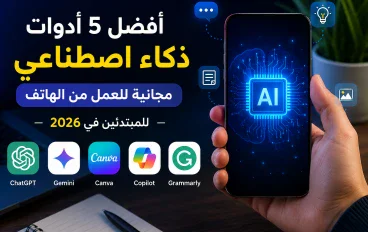
Some of the most useful tools to explore in 2026 include ChatGPT, Google Gemini, Microsoft Copilot, Perplexity, NotebookLM, Grammarly, Quizlet, and Canva.
However, AI should not replace critical thinking, verification, or genuine learning. Free plans, features, and usage limits can also change over time, so students should consult official sources before relying on a specific feature or limit.
Reliable Sources
OpenAI Help Center – Using Study Mode in ChatGPT.
OpenAI – Introducing Study Mode.
Google Gemini Apps Help – Gemini Apps limits & upgrades for Google AI subscribers.
Google Gemini Notebook Help – Upgrade Gemini Notebook.
Perplexity Help Center – Which Perplexity Subscription Plan is right for you?
Perplexity Help Center – What is Perplexity?
Grammarly – Prices and Plans.
Quizlet – AI-Powered Tools: Practice Tests, Study Guides, Flashcards & More.
Canva – Pricing.
Microsoft – Official Copilot and Microsoft 365 Copilot documentation







please login to be able to comment