


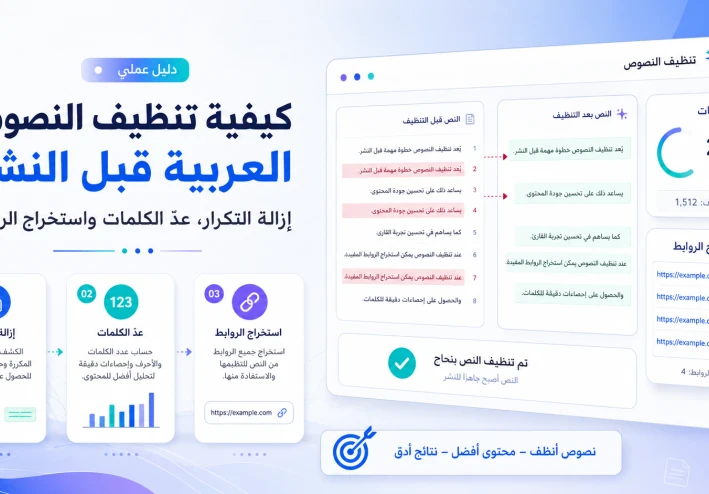
How to Clean Arabic Text Before Publishing: Remove Duplicates, Count Words, and Extract Links
How to Clean Arabic Text Before Publishing: Remove Duplicates, Count Words, and Extract Links
The quality of any article begins before you click the publish button. One of the most important stages—often ignored by many writers—is cleaning Arabic text from technical and formatting issues. Your information may be valuable, but duplicated lines, unclear links, extra spaces, and overly long paragraphs can make the content difficult to read and increase editing time.
These problems often appear when information is collected from multiple files or when text is copied from Word documents, web pages, email messages, PDFs, or AI writing tools.
Cleaning text does not mean changing the writer’s style or removing useful details. It means organizing the draft, deleting unnecessary elements, measuring content length, and checking links before publication. With a few practical steps and browser-based tools, you can transform a cluttered draft into a clean, organized article that is ready for both readers and search engines.
What Does Cleaning Arabic Text Mean?
Text cleaning is the process of reviewing a draft to identify technical and structural problems that ordinary spell-checking tools may not detect.
A spell checker may find a misspelled word, but it may not tell you that an entire paragraph has been duplicated, that the text contains an unnoticed link, or that copying and pasting has created dozens of empty lines.
The text-cleaning process may include:
Removing accidental duplicate lines
Fixing unnecessary spaces
Organizing paragraphs
Deleting unwanted symbols
Counting words and characters
Extracting links for review
Checking heading structure
Removing repeated ideas
It also involves making sure that each paragraph presents a useful idea instead of repeating the same information in slightly different words.
Why Should You Clean Text Before Publishing?
Unorganized text can exhaust the reader even when the information itself is accurate.
When the same idea is repeated in several places, the article appears longer without providing additional value. When paragraphs are too long and connected, reading becomes more difficult, especially on mobile devices. Links copied from different sources may also lead to deleted pages, irrelevant destinations, or pages that are no longer available.
Cleaning Arabic text can help you:
Improve readability
Reduce formatting mistakes
Save editing time
Remove unnecessary repetition
Prepare content for WordPress, Blogger, or other publishing platforms
Improve the structure of articles and reports
Review copied data more efficiently
This process is not useful only for writers. Students, researchers, website owners, marketers, developers, and data-entry professionals may also need it when working with lists, articles, keywords, URLs, and large blocks of text.
Keep a Copy of the Original Text First
Before deleting a line, changing a paragraph, or modifying a link, save a copy of the original draft in a separate file.
Some repetition may be intentional. For example, a product name may appear several times in a table, or an important term may be repeated in a frequently asked questions section.
You can name the first version “Original Draft” and create another copy named “Edited Version.”
This approach allows you to compare both versions and recover any paragraph that was removed by mistake. Do not rely only on the undo button, especially when moving content between multiple tools or text editors.
Remove Duplicate Lines
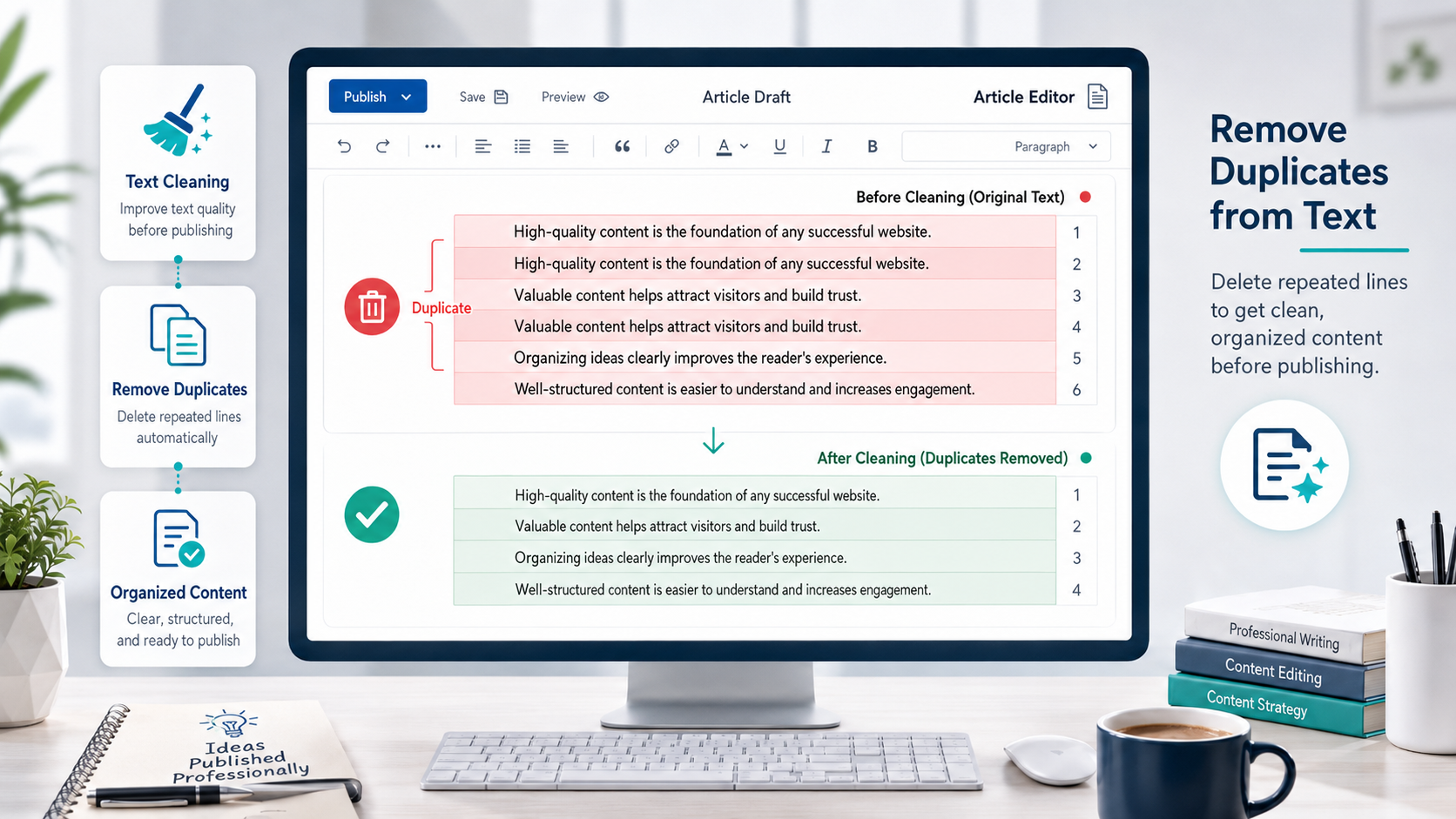
Duplicate content often appears when several sets of notes are combined or when lists are copied from multiple documents.
A line may be duplicated exactly, or it may look slightly different because of an extra space at the beginning or end. Detecting duplicate lines manually may be possible in short texts, but it becomes difficult when the document contains hundreds of lines.
You can use the Duplicate Line Remover to paste your text, identify repeated and unique lines, and review the cleaned version before copying it.
This tool can be useful for:
Article drafts
Keyword lists
Product titles
Email lists
Research notes
CSV data
Repeated descriptions
Text collected from several sources
After removing duplicate lines, read the content again. A tool can detect identical lines, but it cannot always determine whether repetition was intentional or necessary for the meaning.
Keep a sentence when it provides new context or explanation. Remove only the sections that repeat the same information without adding value.
Count Words and Characters
Word count is not the only measure of content quality, but it helps you understand whether the topic has been covered properly.
A short article may answer a direct question very effectively, while a detailed guide may require more space to explain steps, examples, common mistakes, and possible solutions.
Using the Word and Character Counter, you can check:
Total number of words
Total number of characters
Number of sentences
Number of paragraphs
Estimated reading time
These statistics are especially useful when you need to follow a specific article length, write a product description, prepare an academic assignment, or publish content on a platform with a character limit.
Do not look only at the final number. Pay attention to how words are distributed across the article.
For example, if an article contains 1,200 words but one paragraph includes more than 200 words without a break, it may be better to divide that paragraph into smaller sections.
Each paragraph should focus on one main idea. When the subject changes, use a new paragraph or a clear subheading.
Extract Links from Text and HTML
A draft copied from a web page or HTML file may contain links that are not immediately visible inside the editor.
Writers may also collect source links, image links, reference pages, and website addresses during research, then forget to review them before publishing.
A wrong, broken, or duplicated link can create a poor experience for readers.
The Link Extractor from Text and HTML helps you collect all URLs found inside a document and display them in a clear list.
After extracting the links, review them carefully.
Check whether:
The page still works
The URL leads to the intended destination
The page is relevant to the article
The same link appears more than once
The URL contains unnecessary tracking parameters
The anchor text describes the destination clearly
Avoid adding links only to increase the number of links inside the article.
A useful link should provide a source, additional explanation, supporting evidence, or a practical tool that helps the reader complete a task.
It is also better to use descriptive anchor text such as “word and character counter” instead of vague phrases such as “click here.”
Fix Spaces and Punctuation
Copying text from PDF files, messaging applications, or web pages may create double spaces, empty lines, unwanted symbols, and invisible formatting characters.
Review the beginning and end of every paragraph. Remove repeated spaces and make sure punctuation marks are placed correctly.
For Arabic content, use the Arabic comma “،” where appropriate and the Arabic question mark “؟” when asking a question.
Avoid excessive exclamation marks or repeated dots because they can make professional content appear less reliable.
Also review:
Parentheses
Quotation marks
Dashes
Numbers
English terms inside Arabic sentences
Spaces before and after punctuation
Bulleted and numbered lists
Consistent punctuation makes the article easier to read and gives the content a more professional appearance.
Organize Headings and Paragraphs
After removing duplicates and checking links, review the structure of the article.
The main title should clearly describe the topic. Subheadings should divide the content into logical sections and help the reader understand the article without reading every paragraph.
Try to make the structure understandable by looking only at the headings.
Start each section with a direct answer, then provide details, examples, or practical steps.
Use numbered lists for sequential instructions and simple tables for comparisons. This reduces unnecessary wording and helps readers find important information quickly.
A well-organized structure is especially important for mobile users, who often scan headings before deciding which section to read.
Use Keywords Naturally Without Stuffing
After cleaning the Arabic text, review the main keyword and related phrases.
The primary keyword can appear naturally in:
The article title
The introduction
One or two subheadings
The conclusion
The meta description
However, repeating the same keyword in every paragraph can make the writing sound unnatural.
Instead, use related phrases and natural variations such as:
Text formatting
Content cleaning
Removing duplicate text
Word counter
Link review
Arabic writing tools
Cleaning text before publishing
Organizing article drafts
This variety helps the article cover different user questions while keeping the writing clear and natural.
The goal should be to provide a complete answer, not to reach a fixed keyword-density percentage.
A Fast Workflow Before Publishing
You can clean and prepare your article by following this process:
Save a backup copy of the original draft.
Remove duplicate lines after reviewing them.
Use a word counter to evaluate article and paragraph length.
Extract all links and verify that they work.
Remove extra spaces and unwanted symbols.
Review punctuation and formatting.
Organize headings and lists.
Read the final version on a mobile device.
Perform one final human review before publishing.
Reading the article aloud can also be useful. This method helps you identify long sentences, weak transitions, and sections that sound repetitive.
For every paragraph, ask:
Does this paragraph provide new information?
Can it be made shorter?
Is the main idea clear?
Can the reader apply this step easily?
Does the paragraph connect naturally to the next section?
When the answer is yes, the article is much closer to being ready for publication.
Common Mistakes to Avoid
One common mistake is removing all duplicated content automatically without reviewing the result.
Another mistake is focusing only on the total number of words while ignoring usefulness, clarity, and readability.
You should also avoid leaving link checking until the last minute. Broken or incorrect links may remain inside the article if they are not reviewed carefully.
Other mistakes include:
Publishing without previewing the final layout
Using very long paragraphs
Repeating the same keyword unnaturally
Copying text without cleaning hidden formatting
Adding too many irrelevant links
Removing useful repeated terms
Trusting automated tools without human review
Do not move the cleaned text directly to your website without previewing it. Different platforms may display headings, lists, and spaces differently.
You should also avoid entering sensitive or private information into any online service before reading its privacy policy and understanding how the data is processed.
Even when using a browser-based tool, make sure the text does not contain passwords, customer information, confidential documents, or private business data.
Does Cleaning Text Improve SEO?
Cleaning text does not guarantee a number-one ranking on Google, but it can improve clarity, structure, and readability.
A well-organized article helps visitors reach the answer quickly, reduces duplicated paragraphs, and makes headings and links more useful.
Clear structure can also help search engines understand the main topic and the relationship between different sections.
The most important factor is satisfying search intent.
If the user wants to remove duplicate lines, provide the steps and the appropriate tool directly.
If the user is looking for a word counter, explain what it measures and how the result can be used.
If the user wants to extract links from text or HTML, show the process clearly and explain how to review the extracted URLs.
Combining clear explanations with practical tools is usually more helpful than repeating keywords without context.
Conclusion
Cleaning Arabic text before publishing is an essential step in creating clear, organized, and trustworthy content.
Start by removing duplicate lines. Then count words and characters, extract links, review spaces and punctuation, and reorganize headings and paragraphs.
After using automated tools, always perform a final human review to protect the meaning and writing style.
When this workflow becomes a regular habit, you can reduce mistakes, improve readability, and prepare articles, lists, and text-based data more efficiently.
You do not need complicated software to complete the process. With the right browser-based tools, careful review, and a clear editing workflow, you can turn an unorganized draft into clean content that is ready to publish.








please login to be able to comment