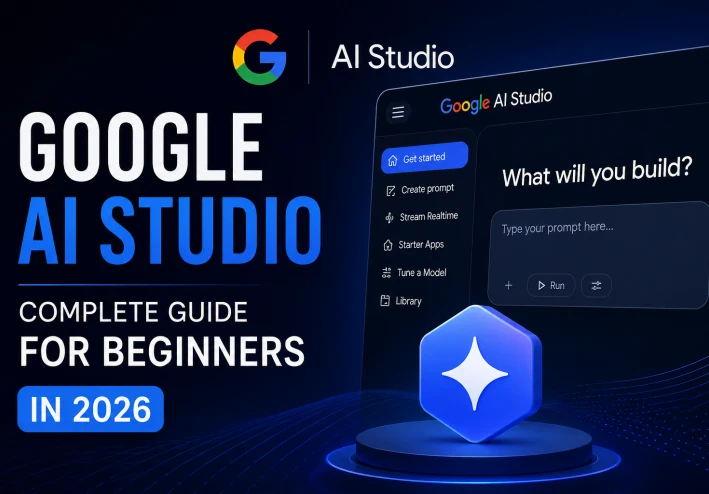
What Is Google AI Studio? Complete Beginner's Guide (2026)
What Is Google AI Studio? Complete Beginner's Guide (2026)

Introduction
Artificial intelligence is changing the way people work, learn, and create content. Every year, AI tools become more powerful and easier to use. One of the most exciting platforms introduced by Google is Google AI Studio. It allows users to interact with advanced AI models, generate text, create ideas, write code, and build AI-powered applications without needing advanced technical knowledge.
Whether you are a student, content creator, developer, freelancer, or business owner, Google AI Studio provides an easy way to explore the latest AI technology. In this complete guide, you will learn what Google AI Studio is, how it works, its main features, advantages, limitations, and how to start using it today.
What Is Google AI Studio?
Google AI Studio is an online platform developed by Google that gives users access to powerful artificial intelligence models. It offers a simple interface where users can write prompts, ask questions, generate content, summarize information, translate text, create code, and test AI features.
The platform is designed for beginners as well as experienced developers. Instead of building complicated AI systems from scratch, users can simply type instructions and receive intelligent responses within seconds.
Google AI Studio also allows developers to experiment with Google's AI models before integrating them into websites, mobile apps, or software projects.
Main Features of Google AI Studio
Google AI Studio includes many useful features that make it one of the most powerful AI platforms available today.
Some of its most important features include:
Easy and beginner-friendly interface.
Fast AI text generation.
Code generation and debugging assistance.
Content writing and brainstorming.
AI chat experience.
Prompt testing and optimization.
Access to Google's latest AI models.
API support for developers.
Continuous updates and improvements.
These features make Google AI Studio useful for both personal and professional projects.
How to Get Started
Getting started with Google AI Studio is simple.
Follow these steps:
Visit the official Google AI Studio website.
Sign in using your Google account.
Accept the required permissions.
Create your first project.
Choose an AI model.
Write your first prompt.
Review the generated response.
Improve your prompt to get better results.
After a few minutes, you can begin experimenting with different prompts and discover how powerful Google's AI technology has become.
Who Can Use Google AI Studio?
Google AI Studio is suitable for many different users.
Students can use it to summarize lessons, explain difficult concepts, and improve their writing skills.
Content creators can generate article ideas, YouTube scripts, social media captions, blog posts, and marketing content.
Developers can test AI models, generate code, debug software, and integrate AI into applications.
Businesses can use AI to improve productivity, automate repetitive tasks, and provide better customer experiences.
Even beginners with no programming experience can benefit from many of its features.
Advantages of Google AI Studio
There are many reasons why Google AI Studio has become popular among AI users.
Some of the biggest advantages include:
Clean and modern interface.
Fast response speed.
High-quality AI models.
Easy learning curve.
Excellent for experimentation.
Helpful for writing, coding, and research.
Backed by Google technology.
Suitable for both beginners and professionals.
These advantages make it one of the strongest AI platforms available in 2026.
Limitations
Although Google AI Studio is impressive, it also has some limitations.
Some advanced features may require payment in the future.
Certain services may not be available in every country.
Like every AI system, generated responses should always be reviewed before publishing or using them in important situations.
Users should also avoid sharing sensitive personal information while interacting with AI systems.
Tips for Better Results
To get the best results from Google AI Studio, follow these simple tips.
Write clear prompts.
Provide enough details.
Ask one question at a time.
Experiment with different prompt styles.
Review every AI response before using it.
The better your prompt, the better the generated answer will usually be.
Frequently Asked Questions
Is Google AI Studio free?
Yes. Many features are available for free, although advanced usage may require paid services depending on Google's pricing.
Do I need programming knowledge?
No. Beginners can use many of the platform's features without writing any code.
Can I create AI applications?
Yes. Developers can use Google AI Studio together with APIs to build AI-powered applications.
Is Google AI Studio safe?
Google provides security and privacy features, but users should avoid sharing confidential information with any AI platform.
Conclusion
Google AI Studio is one of the best artificial intelligence platforms available in 2026. It combines powerful AI technology with an easy-to-use interface that allows beginners and professionals to explore the possibilities of artificial intelligence.
Whether you want to write articles, generate code, create business ideas, improve productivity, or simply learn more about AI, Google AI Studio is an excellent platform to start with. As AI continues to evolve, learning how to use Google AI Studio can become a valuable skill that benefits your education, career, and future projects.