
في هذا المقال
10 Simple Ways to Protect Your Online Privacy and Stay Safe on the Internet
Introduction
The internet has become an essential part of our daily lives. We use it to communicate with friends, shop online, study, work, watch videos, and manage important personal information. Although technology makes life easier, it also creates risks that many people overlook.
Every time you visit a website, download an application, or create an online account, you may share information about yourself. Some of this information can be collected, stored, or exposed if you are not careful.
The good news is that protecting your online privacy does not require advanced technical knowledge. A few simple habits can make a significant difference in keeping your personal information secure.
In this article, we will explore ten practical ways to improve your digital security and enjoy a safer online experience.
1. Use Strong and Unique Passwords
One of the easiest ways to protect your online accounts is by creating strong passwords.
Many people use simple passwords that are easy to remember, such as their birthdays, names, or common number combinations. Unfortunately, these passwords can also be easy for attackers to guess.
A strong password should contain a combination of uppercase letters, lowercase letters, numbers, and special characters.
More importantly, avoid using the same password for multiple websites. If one account becomes compromised, using different passwords can help prevent attackers from accessing your other accounts.
You can also use a trusted password manager to create and store complicated passwords securely.
2. Enable Two-Factor Authentication
Passwords alone are not always enough to protect your accounts.
Two-factor authentication, commonly known as 2FA, adds another security step when you sign in. Depending on the service, this could involve an authentication application, a security key, or another verification method.
For example, even if someone discovers your password, they may still be unable to access your account without completing the additional verification step.
Enable this feature on important accounts, especially your email, banking services, and social media profiles.
3. Be Careful With Suspicious Links
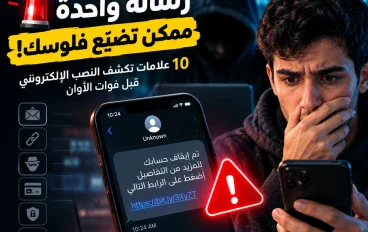
Online scams often begin with a simple message containing a suspicious link.
You might receive an email claiming that your account has been locked or a message promising an unexpected prize. These messages are sometimes designed to make you panic or act quickly.
Before clicking any link, carefully examine the sender and the website address.
If a message claims to come from a bank or popular service, visit its official website directly instead of using the link in the message.
Remember that legitimate organizations should not pressure you into sharing passwords or sensitive information through unexpected messages.
4. Keep Your Devices and Applications Updated
Software updates are not only about adding new features or changing the appearance of your device.
They often include important security improvements that fix weaknesses discovered by developers.
When you ignore updates for long periods, your device may remain vulnerable to problems that could have already been fixed.
Make sure your operating system, browser, and frequently used applications receive regular updates.
Whenever possible, enable automatic updates so that important improvements are installed without requiring constant manual attention.
5. Avoid Using Public Wi-Fi for Sensitive Activities
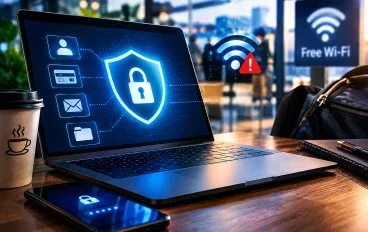
Public Wi-Fi networks are convenient, especially when you are traveling or visiting cafes, airports, and other public places.
However, not every public network provides the same level of security.
Some networks may be poorly protected or operated by unknown individuals. This can increase the risk of exposing your information.
Avoid accessing sensitive accounts or performing important financial activities through unfamiliar networks.
If you must use public Wi-Fi, make sure the websites you visit use HTTPS and consider using a reputable VPN service when appropriate.
Also, avoid connecting to networks with suspicious names that imitate legitimate public hotspots.
6. Review Your Social Media Privacy Settings
Social media platforms allow people to share photos, videos, opinions, and personal updates with others.
However, sharing too much information can create unnecessary privacy risks.
For example, publicly sharing your location, daily routine, personal phone number, or travel plans may expose information that strangers do not need to know.
Take a few minutes to review your privacy settings on platforms such as Facebook, Instagram, and TikTok.
Choose who can view your posts, contact you, and access your personal information.
A simple privacy review can help you maintain better control over your digital identity.
7. Download Applications From Trusted Sources
Downloading applications from unknown websites can expose your device to unwanted software.
Some unofficial applications may contain malicious files, misleading advertisements, or hidden features that collect personal information.
Whenever possible, download applications from official stores and trusted developer websites.
Before installing an application, review its permissions.
For example, a simple calculator application usually does not need access to your contacts, microphone, or location.
If an application requests permissions that do not make sense for its purpose, think carefully before allowing them.
8. Be Careful About What You Share With Artificial Intelligence Tools
Artificial intelligence tools have become increasingly popular for writing, studying, creating images, and solving everyday problems.
Although these tools can be useful, users should think carefully before sharing private information with them.
Avoid entering passwords, banking details, private documents, or confidential information into AI applications unless you fully understand how the service handles that data.
Read the privacy policies of the services you use and review their available data controls.
AI can make everyday tasks easier, but protecting your personal information should remain a priority.
9. Check Website Security Before Entering Personal Information
Before entering sensitive information on a website, make sure you are visiting the correct address.
Look for HTTPS in the website address and check that the domain name is spelled correctly.
However, remember that HTTPS alone does not guarantee that a website is trustworthy. Scam websites can also use secure connections.
Be especially careful with online shopping websites that offer unrealistic discounts or request unusual payment methods.
When making purchases, choose well-known platforms and reliable payment methods whenever possible.
10. Back Up Your Important Files Regularly
Online security is not only about preventing unauthorized access. It is also about protecting your information from accidental loss.
Your phone or computer could be damaged, stolen, infected with malware, or affected by a technical problem.
Regular backups can help you recover important documents, photographs, and personal files.
Consider keeping copies of important information in a trusted cloud storage service or on an external storage device.
For additional protection, make sure your backup accounts are also secured with strong passwords and two-factor authentication.
Why Online Privacy Matters More Than Ever
Our digital lives continue to grow as more services move online.
Personal information has become valuable, and protecting it is an important responsibility for every internet user.
A single careless action, such as clicking a suspicious link or reusing a weak password, can create problems that take time and effort to fix.
Developing good online habits helps reduce these risks and gives you greater control over your personal information.
You do not need to become a cybersecurity expert to protect yourself. Understanding common threats and making smarter decisions is already a great starting point.
Conclusion
Protecting your online privacy does not have to be complicated.
By using strong passwords, enabling two-factor authentication, avoiding suspicious links, updating your devices, and controlling what you share online, you can significantly improve your digital safety.
The most important thing is consistency. These habits should become part of your everyday internet routine rather than something you only think about after experiencing a security problem.
The internet offers incredible opportunities, but using it responsibly means understanding the risks and taking simple steps to protect yourself.
Start with one security improvement today. Your future self will thank you for it.
تابع جديد yaso
اختر إشعارات الموقع أو البريد أو الاثنين. الزائر يقدر يشترك ببريده دون تسجيل حساب.
الإبلاغ عن المقال
لو لاحظت مشكلة في المحتوى، أرسلها لفريق المراجعة. لن تظهر بياناتك لكاتب المقال أو للقراء.
تعذّر إرسال البلاغ الآن. حاول مرة أخرى لاحقًا.
سجّل الدخول لإرسال بلاغ




النقاش
التعليقات (0)
فكرة تضيفها، أو سؤال يفتح حوارًا.
الرجاء تسجيل الدخول لتتمكن من التعليق