

In this article
In the fast-paced digital era, customers are no longer willing to wait hours or even minutes for a reply on WhatsApp. A delayed response simply means driving your customer straight to the competitor. On the other hand, hiring a massive team of customer service representatives to work around the clock is a huge financial burden for companies and store owners.
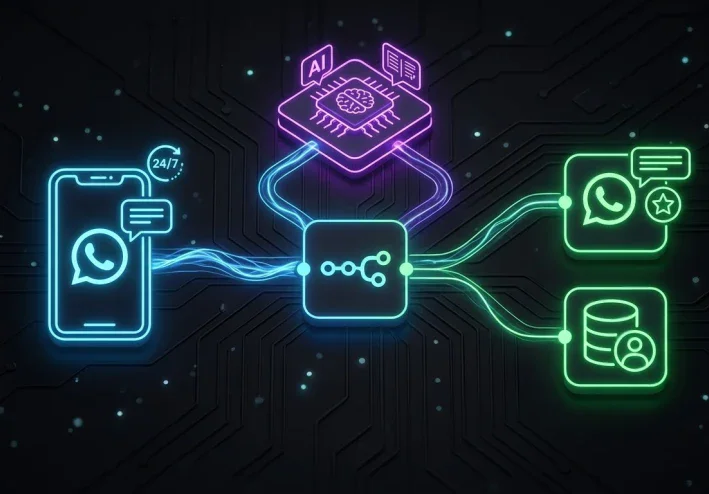
This is where the urgent need to merge Business Automation and Artificial Intelligence (AI) arises. In this comprehensive guide, we will learn how to move beyond annoying traditional bots (that rely on rigid rules and pressing numbers) to build a "Smart WhatsApp Bot" that understands customer intent, replies in a polite human-like manner, and automatically logs leads into your CRM system using the n8n platform.
What is the Difference Between a Traditional Bot and an AI-Powered Bot?
Before diving into the technical steps, we must understand the fundamental difference:
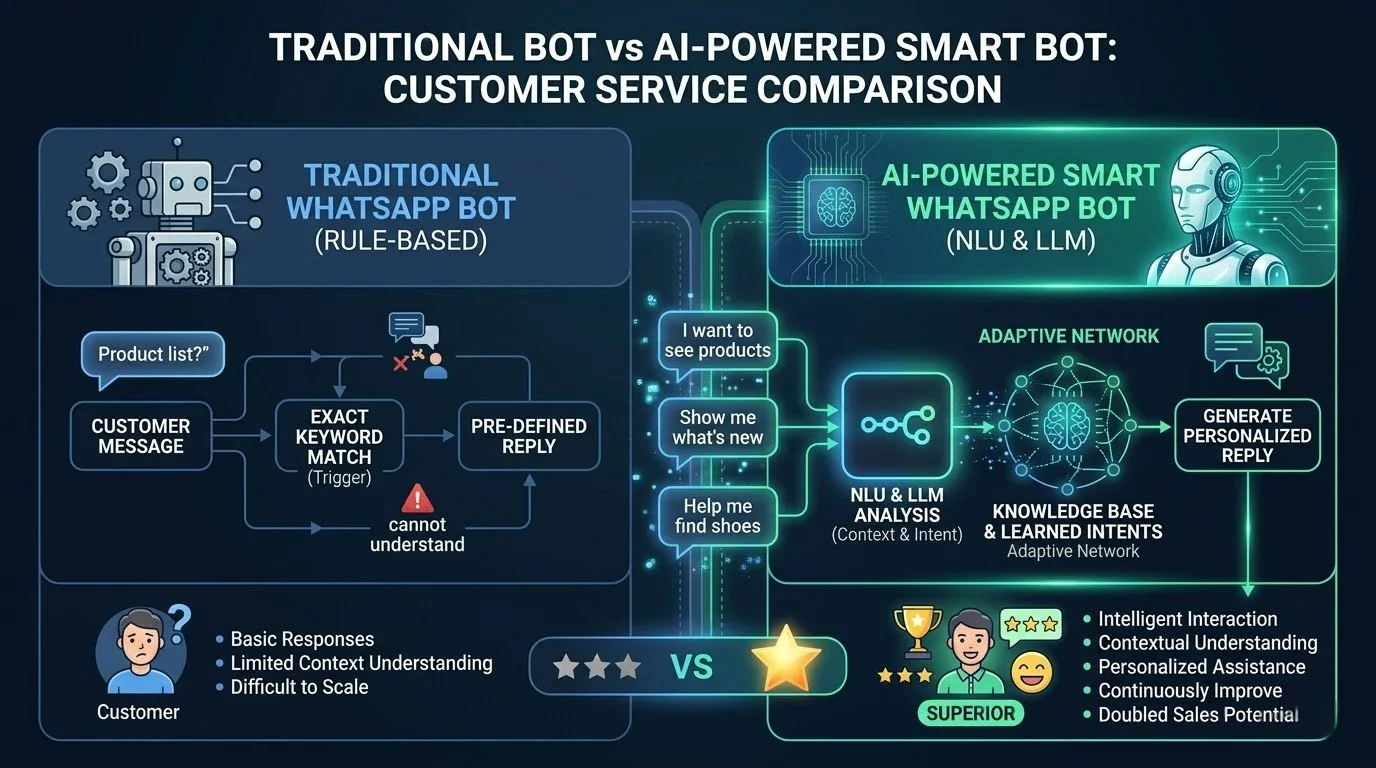
Traditional Bot (Rule-based): Operates on specific keywords or numerical menus (e.g., Press 1 for Sales, 2 for Support). If the customer makes a typo, the bot breaks down and fails to respond accurately.
Smart Bot (AI-Powered): Utilizes Natural Language Processing (NLP) models (like OpenAI/ChatGPT) integrated via n8n. This bot understands the context of the conversation, performs intent analysis, replies with customized answers from the company's database, and can even negotiate and close sales.
System Architecture: How Does the Workflow Operate?
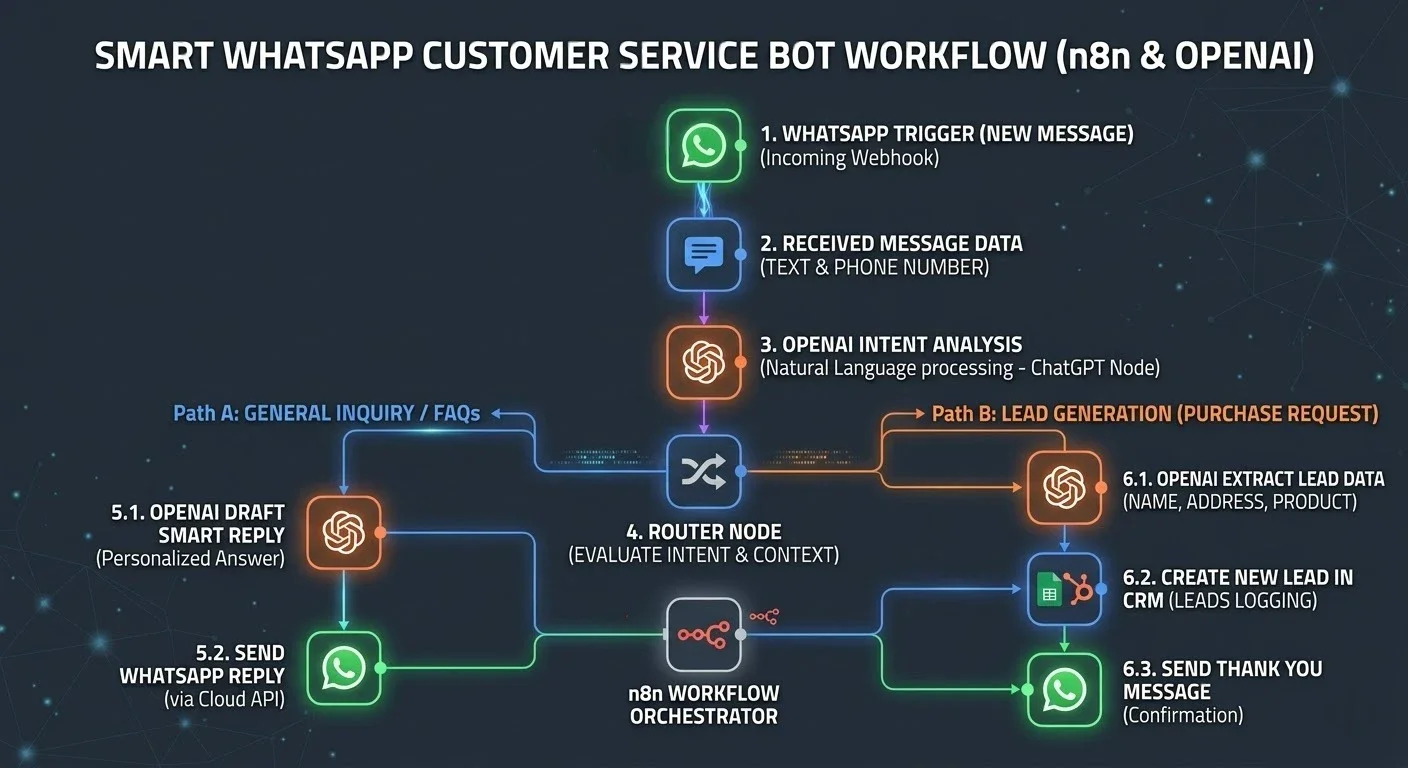
To set up this system, we will rely on n8n as the mastermind connecting three main parties:
WhatsApp Cloud API: To receive and send messages.
OpenAI (ChatGPT): To analyze messages and draft responses.
CRM System or Google Sheets: To log potential customer (lead) data.
Practical Steps to Build the Workflow in n8n:
1. The WhatsApp Trigger Node
The process begins when a customer sends a message to the company's WhatsApp number. The trigger node instantly captures this webhook, extracts the text and the sender's phone number, and passes it to the next step in milliseconds.
2. The AI Node (OpenAI)
This is where the magic happens. Here, we don't let the AI answer from its general public database; instead, we guide it through Prompt Engineering. We provide the node with a System Prompt containing:
The bot's persona (a professional and friendly sales rep).
Company information (prices, shipping policy, returns).
The required task (answering the question or extracting customer data if they are ready to buy).
3. The Router / Switch Node
Based on the AI's output, the system evaluates the "customer's intent" and routes the flow:
Route 1 (General Inquiry): If the customer asks about a price or schedule, the system passes the AI-drafted answer directly to the sending node.
Route 2 (Purchase Request / Lead): If the customer expresses a desire to buy and provides their details, the flow is directed to the CRM node.
4. The Data Update Node (CRM / Google Sheets)
When the system identifies a warm lead, this node extracts the crucial data from the chat (name, phone number, requested product) and inserts it as a new row in Google Sheets or as a "Deal" in systems like HubSpot or Pipedrive. This allows the human sales team to step in only to close the deal, saving their valuable time.
5. The Automated Reply Node (WhatsApp Message)
Finally, the system reconnects with the WhatsApp Cloud API to send the final response to the customer, whether it's an answer to their inquiry or a thank-you message confirming the receipt of their purchase details.
The "Magic Prompt" to Train Your Company's Bot
To ensure the success of this system, here is the basic structure of the System Prompt we use in the OpenAI node to train the bot:
"You are now acting as a professional customer service and sales representative for [Your Company Name], specializing in [Your Industry]. Your task is to reply to customer messages via WhatsApp. Instructions:
Be friendly, concise, and use emojis professionally.
Strictly adhere only to the following information: [Add prices, return policy, and working hours].
If the customer asks to purchase, politely ask them to provide their (Full Name, Alternative Phone Number, and Address).
Do not invent or hallucinate any information outside of this text."
Commercial Benefits of Implementing This System
24/7 Availability: You will never lose a customer who messages you late at night or on holidays.
Reduced Operational Costs: The system can handle thousands of simultaneous messages, reducing the need to hire large numbers of customer service agents for routine replies.
Exceptional Customer Experience (CX): Instant, accurate replies drafted in a human tone boost customer loyalty and increase sales closing rates.
Conclusion
Automating customer service via n8n and AI is no longer "future tech"; it is an essential competitive tool today. Companies that adopt these systems gain the advantage of rapid response and efficient data management.
If you are looking to implement these advanced systems and more in your business without getting bogged down in coding complexities, stay tuned for the upcoming launch of the n8n Central platform. It will provide you with a massive library of ready-to-use workflows that can be applied with a single click.
Share in the comments: What is the most frequent inquiry that consumes your customer service team's time?
Keep up with Mohamed Desoky
Choose site notifications, email, or both. Guests can subscribe by email without an account.
Report this article
Tell our review team about a problem with this content. Your details will not be shown to the author or other readers.
Your report could not be sent. Please try again later.
Sign in to report an article




Discussion
comments (0)
Share a perspective. Start a thoughtful conversation.
please login to be able to comment