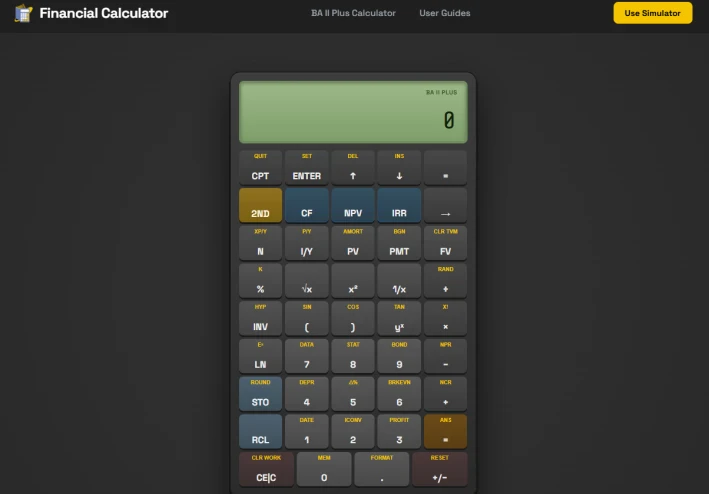
Free BA II Plus Financial Calculator Online - No Sign-Up CFA & FRM Tool
A Quick Guide to Using the BA II Plus Financial Calculator Online
For finance students and professionals preparing for rigorous professional exams like the CFA or FRM, the Texas Instruments BA II Plus is an absolutely indispensable tool. However, you do not always have your physical hardware calculator with you during daily commutes or unexpected study gaps. Utilizing a web-based alternative like the Free Online BA II Plus Financial Calculator is an excellent way to practice your essential workflows anytime, anywhere.
An authentic online emulator allows you to perform the exact same critical calculations as the physical device without any complex installation processes. First, you can master Time Value of Money (TVM) formulas. This allows you to quickly solve for Present Value (PV), Future Value (FV), Payments (PMT), and Interest Rates (I/Y) for bond or annuity problems.
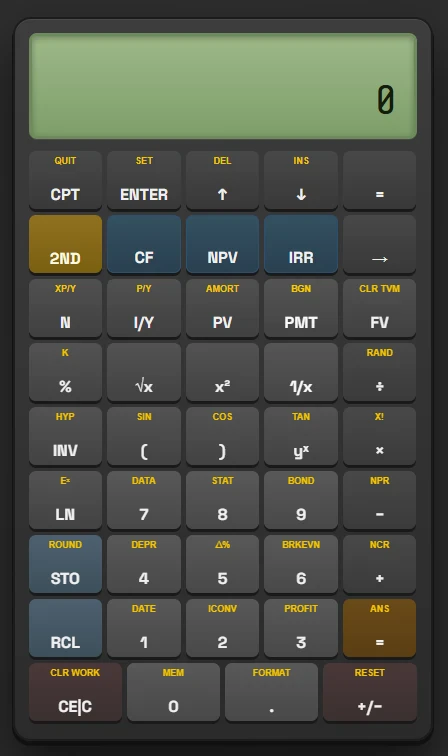
Second, the tool supports advanced Cash Flow Analysis. You can input uneven cash flows directly from your desktop or mobile browser to compute Net Present Value (NPV) and Internal Rate of Return (IRR) instantly. Lastly, it assists with Amortization and Depreciation calculations, making it easy to calculate loan repayments, interest schedules, and asset depreciation methods on the go.
To make sure your online practice sessions perfectly match actual exam conditions, remember to adjust these two crucial default factory settings on the interface. The first setting is Floating Decimals. By default, the calculator rounds to two decimal places, which is not precise enough for advanced financial analysis. To fix this, press [2nd] then [FORMAT], type 9 for floating decimals, and press [ENTER] to save.
The second critical adjustment is the Operating System (AOS). The default Chained (CHN) mode calculates equations strictly in the order you type them. To use the standard algebraic order of operations that finance textbooks require, you need to switch it to AOS mode. To fix this, press [2nd] then [FORMAT], arrow down to "CHN", then press [2nd] [SET] to change it to "AOS".
While you will ultimately need your physical hardware on the actual exam day due to strict testing center regulations, a reliable online version at baiiplusfinancialcalculator.com serves as the perfect, hassle-free companion for daily study routines and quick calculation checks.
While you will ultimately need your physical hardware on exam day due to strict testing center rules, a reliable online version at baiiplusfinancialcalculator.com serves as the perfect, hassle-free companion for daily study and quick calculation checks.
While you will ultimately need your physical hardware on exam day due to strict testing center rules, a reliable online version at baiiplusfinancialcalculator.com serves as the perfect, hassle-free companion for daily study and quick calculation checks.